Master end-to-end travel booking automation, flight search execution, real-time pricing verification, and PNR creation using the official Amadeus Python SDK.
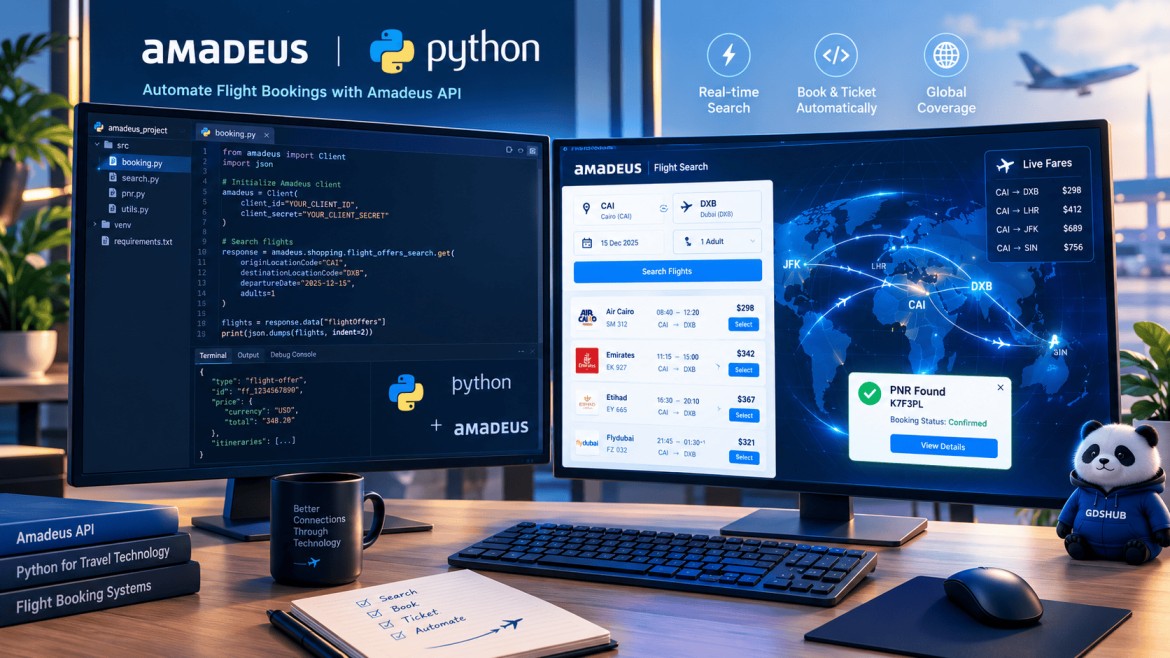 Figure 1: Full Python script architecture for automated travel distribution.
If you want to Automate Ticketing Workflow Using the Amadeus API, this comprehensive developer guide is built specifically for your modern travel technology needs and digital software architecture. In today’s hyper-competitive digital marketplace, relying entirely on legacy cryptic command lines or manual operations significantly slows down online travel agencies (OTAs), tour operators, and corporate booking portals.
To achieve true operational scalability and software efficiency, modern software engineers need to efficiently automate ticketing workflow using the Amadeus API. By leveraging robust programmatic travel solutions from the official amadeus-python GitHub repository, applications can search flight availability, lock in live pricing, manage passenger details, and generate official Passenger Name Records (PNRs) instantly.
Automate Ticketing Workflow Using the Amadeus API: Prerequisites & SDK Setup
Before implementing any script, ensure you have registered an account on the Amadeus Developer Portal to generate your production or test Client ID and Client Secret. Next, install the official Python package in your environment via pip:
This wrapper handles OAuth2 authentication tokens automatically behind the scenes, allowing your backend application to communicate seamlessly with global travel distribution servers.
Phase 1: Programmatic Flight Search (Python Code)
The foundation of any travel portal is searching live schedules. Using the flight_offers_search endpoint from the Amadeus Python SDK, your script can query origin, destination, departure dates, and passenger counts easily.
from amadeus import Client, ResponseError
import os

amadeus = Client(
    client_id=os.getenv('AMADEUS_CLIENT_ID', 'YOUR_CLIENT_ID'),
    client_secret=os.getenv('AMADEUS_CLIENT_SECRET', 'YOUR_CLIENT_SECRET')
)

def search_flights():
    try:
        response = amadeus.shopping.flight_offers_search.get(
            originLocationCode='JFK',
            destinationLocationCode='LHR',
            departureDate='2026-12-15',
            adults=1,
            max=3
        )
        print(f"Successfully retrieved {len(response.data)} flight offers.")
        return response.data[0]
    except ResponseError as error:
        print(f"Flight search failed: {error}")
        return None

selected_offer = search_flights()
Phase 2: Real-Time Pricing Verification (Python Code)
Flight inventories fluctuate dynamically. Before you can commit a reservation, you must verify that the selected fare class is still active and valid using the Flight Offers Price API.
def verify_flight_pricing(flight_offer):
    if not flight_offer:
        return None
    try:
        pricing_response = amadeus.shopping.flight_offers.pricing.post(flight_offer)
        confirmed_offer = pricing_response.data['flightOffers'][0]
        print("Pricing confirmed successfully!")
        return confirmed_offer
    except ResponseError as error:
        print(f"Pricing validation error: {error}")
        return None

confirmed_flight_offer = verify_flight_pricing(selected_offer)
Phase 3: Executing Flight Orders & PNR Creation (Python Code)
Once pricing is locked, your application passes traveler credentials and payment info into the Flight Create Orders endpoint to generate the official GDS record locator (PNR).
def create_flight_booking(confirmed_offer):
    if not confirmed_offer:
        return
    try:
        order_payload = {
            "data": {
                "type": "flight-order",
                "flightOffers": [confirmed_offer],
                "travelers": [{
                    "id": "1",
                    "dateOfBirth": "1992-08-20",
                    "name": {"firstName": "ALEXANDER", "lastName": "SMITH"},
                    "gender": "MALE",
                    "contact": {
                        "emailAddress": "alex.smith@example.com",
                        "phones": [{"deviceType": "MOBILE", "countryCallingCode": "1", "number": "5550198234"}]
                    }
                }]
            }
        }
        order_response = amadeus.booking.flight_orders.post(order_payload)
        pnr_locator = order_response.data['associatedRecords'][0]['reference']
        print(f"Booking Generated Successfully! PNR: {pnr_locator}")
    except ResponseError as error:
        print(f"Order creation failed: {error}")

create_flight_booking(confirmed_flight_offer)
Production Best Practices for Amadeus API Integration
Successfully deploying enterprise-grade travel applications requires robust security measures and systematic error management. Developers who look to automate ticketing workflow using the Amadeus API must always maintain clean exception handlers to intercept timeout issues, authentication token expirations, or dynamic seat availability updates smoothly before they impact online clients.
Graceful Exception Handling
Always wrap your API calls inside ResponseError try-except blocks to catch rate limits and timeout exceptions safely.
Secure Credentials Management
Never expose your API keys in public repositories. Utilize secure environment variables.
Error Handling, Idempotency & Retry Strategy
Production ticketing is less about the happy path and more about what happens when a request times out. A flight search can be retried safely, but a Flight Create Orders call cannot be repeated blindly. If the first request reached Amadeus and created an order, a second attempt can produce a duplicate PNR or a duplicate charge.
Treat order creation as an idempotent operation. Generate a unique business key per booking attempt, store it with the request, and persist the returned order ID or PNR before doing anything else. On a timeout, query the order status or reconcile through your own database before retrying. Log the Amadeus response code, correlation ID, and passenger reference so support can trace the booking.
For rate limits and transient server errors, use exponential backoff with jitter. Do not retry validation errors such as an invalid passenger name or an unavailable fare; send those to a manual queue with a clear reason. For authentication failures, refresh the OAuth token and retry once. Every retry should be bounded, logged, and visible in your monitoring dashboard.
When the API cannot complete a booking, your agents still need a fallback. Keep a documented manual path using the Amadeus command guide and the TTP ticketing workflow. For API-to-terminal practice, see our GDS API training guide.
Go-Live Checklist for Amadeus API Ticketing
- Sandbox first: test search, price, order creation, cancellation, and ticketing with developer keys.
- Protect credentials: store client IDs and secrets in a secrets manager, never in source control.
- Validate passenger data: enforce DOCS/APIS rules, date formats, and name matching before calling the order API.
- Handle money carefully: tokenize payments and reconcile every order against the ticketing record.
- Log safely: keep correlation IDs and status codes, but redact passport, payment, and contact data.
- Plan the fallback: define who handles failed orders and how they document the manual PNR/ticket.
Explore More Travel Technology Resources
Supercharge your travel platform with additional technical guides and tools:
Frequently Asked Questions
Do I need a GDS contract to use the Amadeus API?
Yes. Production access is tied to an Amadeus account and agency or developer agreement. The developer portal provides test keys for sandbox work, but live ticketing requires the appropriate commercial access.
Does Flight Create Orders issue the ticket?
No. Flight Create Orders creates the order and PNR. Ticketing is a separate step, often handled by a queue or a follow-up API call, depending on the agency’s workflow.
How do I prevent duplicate bookings after a timeout?
Use an idempotency key for every order attempt, store the returned order ID or PNR, and query the order status before retrying. Never repeat a create-order call blindly.
Can I use the Amadeus API without knowing cryptic commands?
You can build integrations without memorizing every entry, but command knowledge is valuable for troubleshooting, queue handling, and manual fallback when an API call fails.



