amadeus
Explore Amadeus courses, tutorials, and expert articles covering flight reservations, ticketing, travel management, and industry best practices. This tag brings together valuable resources for travel agents and aviation professionals.
Explore Amadeus courses, tutorials, and expert articles covering flight reservations, ticketing, travel management, and industry best practices. This tag brings together valuable resources for travel agents and aviation professionals.

Published: August 19, 2026 Reading time: 6 minutes Let’s be honest—currency conversion is one of those tasks that can trip up even the most seasoned travel agents. Between multi-currency fares, tax calculations, refund adjustments, and the constant need to check today’s bank selling rate, having the right command at your fingertips makes all the…
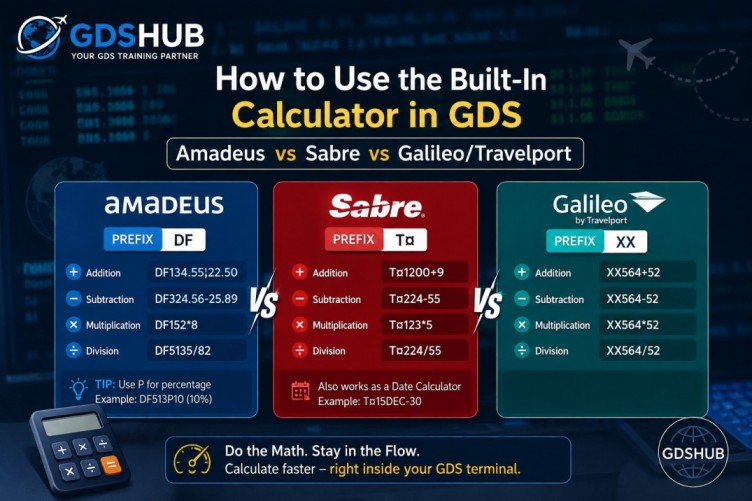
Published: August 19, 2026 Reading time: 5 minutes If you’ve spent any real time in front of a GDS terminal, you already know that speed isn’t just a luxury—it’s currency. Beyond flight searches and booking entries, the built-in arithmetic functions inside Amadeus, Sabre, and Galileo Travelport are absolute lifesavers that too many agents overlook.…
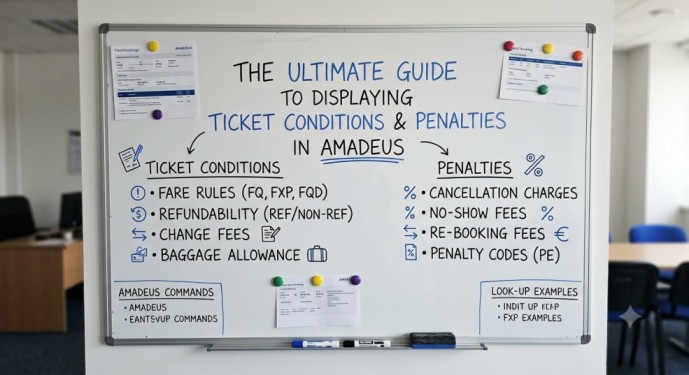
Table of Contents Introduction Part 1: Decoding the Ticket Data (TWD) Part 2: Finding the Exact Fare (FQD) Automate FQD with the Farebase Generator Part 3: Drilling Down into Penalties (FQN) Detailed Penalty Breakdown Part 4: Advanced Qualifiers Cheat Sheet Part 5: Golden Tips for Daily Work Knowledge Is the Service Differentiator Frequently Asked…
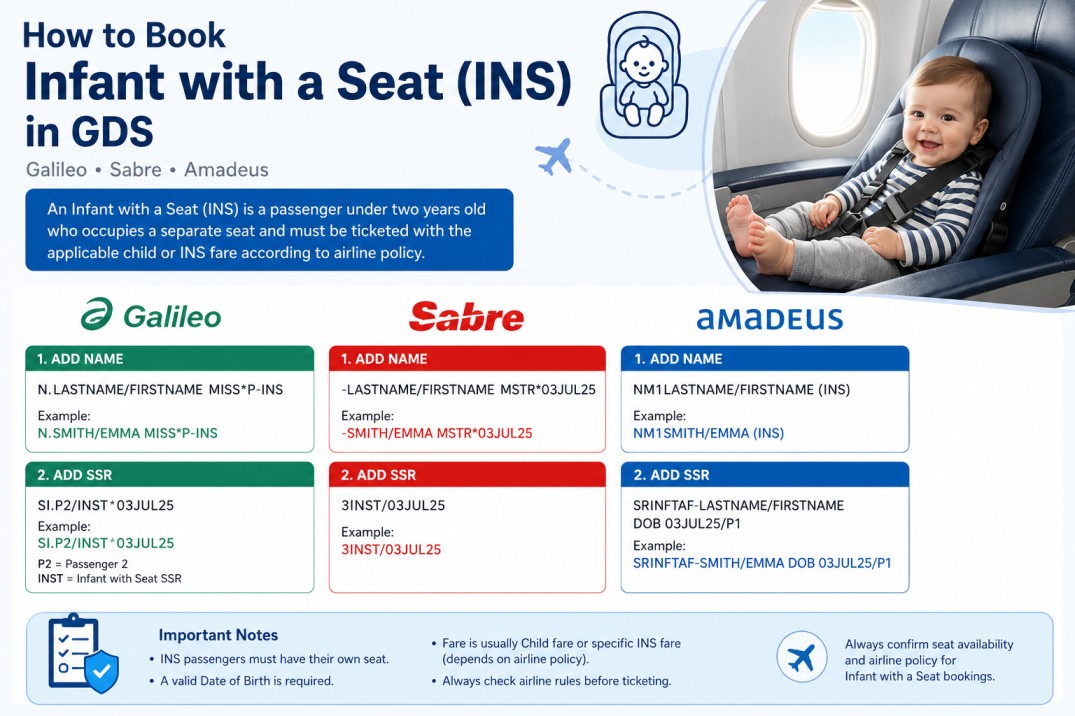
Table of Contents Introduction What Is an Infant with a Seat (INS)? Difference Between INF and INS When Is an INS Required? Age Requirement Galileo Booking Sabre Booking Amadeus Booking Why the Date of Birth Is Required Seat Assignment for INS Ticketing Considerations Common Mistakes Best Practices Frequently Asked Questions Infant with a Seat…
A Complete Beginner’s Guide to Seat Requests and Electronic Miscellaneous Documents in Amadeus GDS Welcome to Lesson 12 of our Amadeus Course for Beginners. Up to now, you’ve learned how to build a complete PNR, add special service requests, and issue tickets. In this lesson, we’ll cover two advanced but increasingly essential skills: seat…
A Complete Beginner’s Guide to Special Service Requests in Amadeus GDS Welcome to Lesson 11 of our Amadeus Course for Beginners. So far, you’ve learned how to build, price, and ticket a complete PNR. But professional travel agents go one step further — they take care of the passenger’s personal needs by adding Special…
A Complete Beginner’s Guide to Correcting Names in Amadeus GDS Welcome to Lesson 10 of our Amadeus Course for Beginners. By now you’ve mastered the entire booking cycle — from flight search to ticketing. But what happens when a passenger’s name is spelled wrong, or when a customer needs a genuine name change after…
Table of Contents Introduction Most Useful FXD Commands Quick Tips Frequently Asked Questions Amadeus FXD Master Pricer: Complete Guide to the Best Airfare Commands 📅 Updated: October 2026 ⏱ 7 min read ✈️ GDS HUB Editorial FXD (Master Pricer) is one of the most useful Amadeus commands for finding the lowest available fares and…
A practical guide for travel agents on fixing the pricing error on flown segments in Amadeus when using FXP, FXX, FXB, or FXR commands. One of the most frustrating Amadeus pricing errors happens when an agent tries to price an itinerary using commands such as FXP, FXX, FXB, or FXR — and the system…
A practical guide for travel agents on fixing the SR FQTV frequent flyer error in Amadeus — why manual entries are rejected and how to use FFN instead. The SR FQTV error is a common Amadeus PNR error that appears when an agent tries to manually enter a frequent flyer number into the PNR…