amadeus
Explore Amadeus courses, tutorials, and expert articles covering flight reservations, ticketing, travel management, and industry best practices. This tag brings together valuable resources for travel agents and aviation professionals.
Explore Amadeus courses, tutorials, and expert articles covering flight reservations, ticketing, travel management, and industry best practices. This tag brings together valuable resources for travel agents and aviation professionals.
A Complete Beginner’s Guide to Payment, Commission & Ticketing Arrangement in Amadeus GDS By now you’ve built a complete PNR — flights, passenger names, contact details, frequent flyer cards, pricing, and passport information. In this eighth lesson, we’ll take you through one of the most critical final steps: adding a Form of Payment (FOP),…
A Complete Beginner’s Guide to Adding Travel Documents in Amadeus GDS By now you’ve learned how to search for flights, add passenger names, arrange ticketing, include contact information, add a frequent flyer card, and price the PNR. In this seventh lesson, we’ll cover an essential security requirement for international travel: adding passport information to…
A Complete Beginner’s Guide to Fare Pricing in Amadeus GDS By now, you’ve learned how to search for flights, add passenger names, arrange ticketing, add contact information, and include a frequent flyer card. In this sixth lesson, we’ll tackle one of the most important skills in Amadeus: pricing a PNR. Pricing is where the…
A Complete Beginner’s Guide to Adding Loyalty Program Details in Amadeus GDS After learning how to search for flights, add passenger names, arrange ticketing, and include contact information, the next important skill for any travel agent is adding frequent flyer cards to the PNR. Frequent flyer numbers allow passengers to earn miles, access lounges,…
A Complete Beginner’s Guide to Adding Contact Details and Service Requests in Amadeus GDS After mastering flight search, passenger names, and ticketing arrangement in the previous lessons, the next essential step is adding contact information to your PNR. Airlines require accurate contact details to reach the passenger in case of schedule changes, delays, or…
A Complete Beginner’s Guide to Finalizing a Booking in Amadeus GDS After learning how to search for a flight in Lesson 1 and how to add passenger names in Lesson 2, you’re now ready for the most critical step in the booking process: ticketing arrangement and saving the PNR. In this third lesson, we’ll…
A Complete Beginner’s Guide to Adding Passenger Names in Amadeus GDS After learning how to search for a flight in Lesson 1, the next essential step in the booking process is adding passenger names to your Amadeus PNR. In this second lesson, we’ll show you exactly how to use the NM command to add…

A practical guide for travel agents on fixing the *NO FARES/RBD/CARRIER/PASSENGER TYPE error in Amadeus — why pricing fails and how to reprice with FXR or FXB. The *NO FARES/RBD/CARRIER/PASSENGER TYPE error is one of the most common Amadeus pricing errors, and it is also one of the most misunderstood. The message does not…
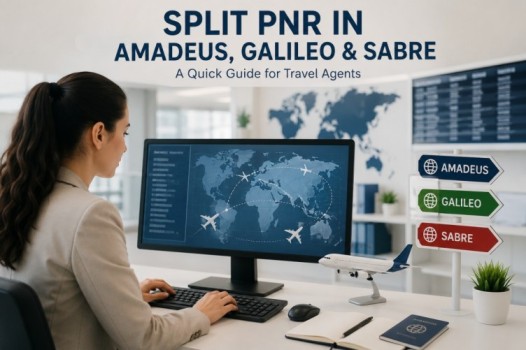
Splitting a PNR allows travel agents to separate one or more passengers from the original booking into a new reservation. Below is a quick reference table for Split PNR commands in Amadeus, Galileo, and Sabre. Action Command Divide one passenger DP1 Divide multiple passengers DP1-3.6 Divide unnamed group passengers DG/10 Divide named and unnamed…
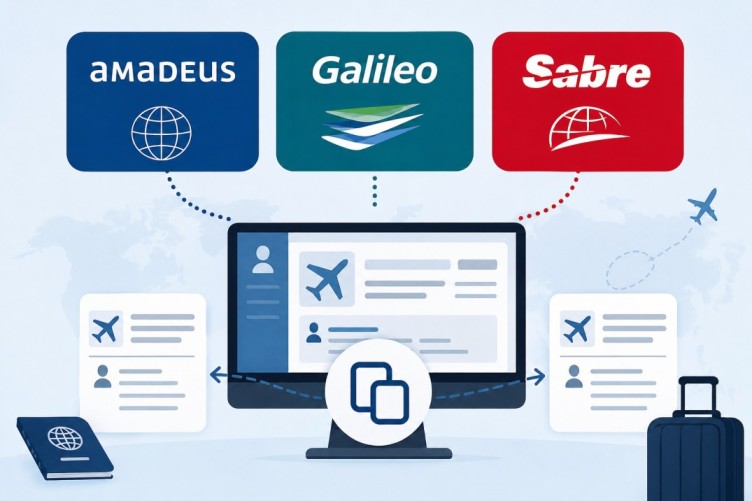
Copying or cloning a PNR is one of the most useful functions in any GDS system. Travel agents use these commands to duplicate itineraries, copy passenger information, or create new bookings faster without re-entering all details manually. This quick guide covers the most common PNR copy commands in Amadeus, Galileo, and Sabre. Amadeus PNR…