-

How to Transfer PNR in Galileo, Amadeus & Sabre
Sharing a PNR between offices is a daily task for travel agents, especially when handling teamwork, ticketing, or support cases. Each GDS system has its own way of transferring or granting access to a booking. Here’s a simple, practical guide. Galileo (Travelport) In Galileo, PNR sharing is mainly handled through queues. This sends the…
-
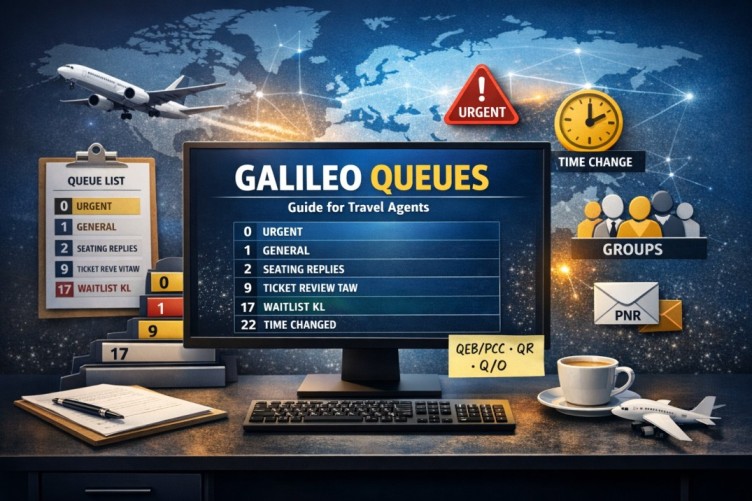
A Simple Guide to Galileo Queues for Agents
If you work with Galileo GDS queues are something you cannot ignore. They help organize your bookings, which are also known as PNRs and they alert you about any changes. This way nothing gets missed. Lets talk about queues in a way without using complicated ideas. What are queues in Galileo GDS? In Galileo…
-
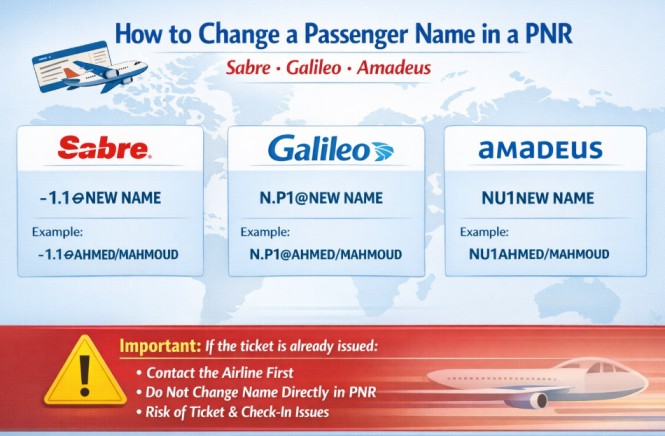
How to Change a Passenger Name in a PNR
Sometimes a travel agent may need to correct a passenger name inside a PNR (Passenger Name Record). Each GDS system uses a different command to update the name field. Below are the common commands used in Sabre, Galileo, and Amadeus. Sabre To modify a passenger name in Sabre, use the following command: Example: This…
-

How to Create PNR Galileo – Step by Step
Related Guides The Ultimate Galileo Commands Guide The Ultimate Amadeus Commands Guide The Ultimate Sabre Commands Guide LinkedIn
-
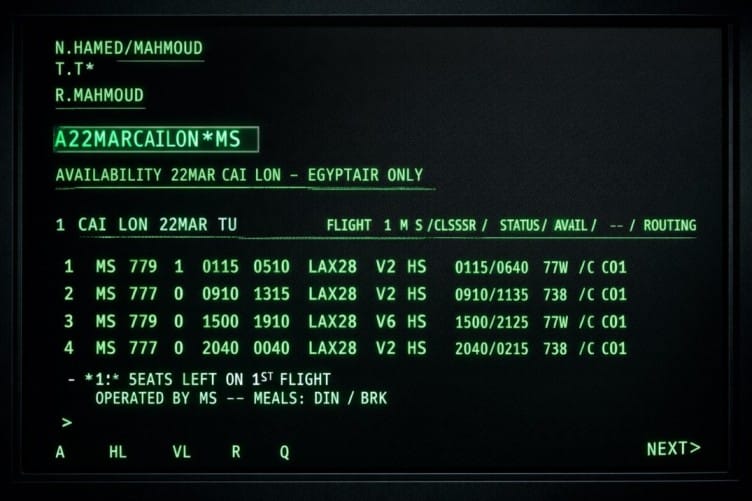
The Ultimate Galileo Commands Guide
Galileo GDS Commands Master Guide – Complete Reference COMMAND DESCRIPTION SIGNING ON/OFF TO GALILEO SON/ZXX Sign on (XX your Initials) SON/ZXXXX/XX Sign in on branch PCC (XXXX = PCC in which sign on created) SB Change from work area A to B (There are 5 work areas A,B,C,D,E) SOF Sign Off ENCODE & DECODE…
-
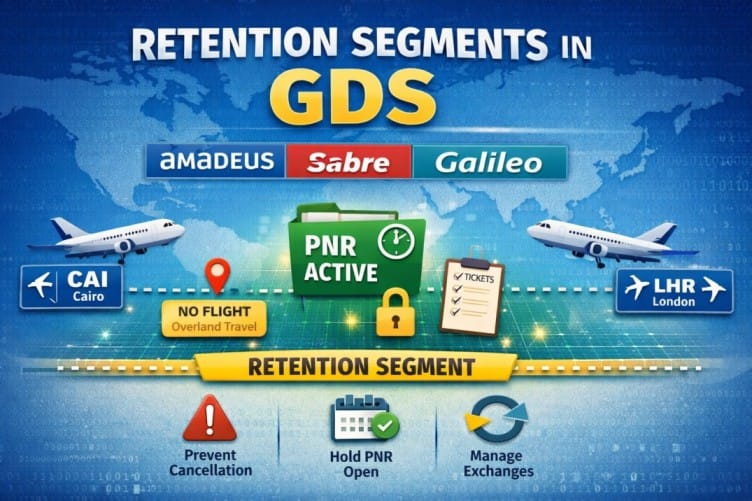
Retention Segments: How to Keep Your PNR Active
If you work with global distribution systems (GDS) like Amadeus, Sabre, or Travelport Galileo, understanding Retention Segments is essential. They allow travel agents to keep PNRs active without adding new flight segments, which is critical for managing bookings, exchanges, and reporting. What Is a Retention Segment? A Retention Segment is a non-air segment added…
-
How to Use ARNK in Amadeus, Sabre & Galileo
If you work with Global Distribution Systems (GDS) like Amadeus, Sabre, or Travelport Galileo, you have likely seen ARNK inside a PNR. This guide explains clearly what ARNK means, why it is important, and how to add it in different GDS systems. What Does ARNK Mean? ARNK stands for Arrival Unknown. It is a…
-
How to Void Tickets in Sabre & Galileo
When working in global distribution systems (GDS) like Sabre and Travelport Galileo, the Void function allows travel agents to cancel a ticket on the same day of issuance before the reporting period closes. In other words, it helps agents correct mistakes quickly without going through the full refund process. For example, Void is commonly…
-
How to Issue EMD Services in Amadeus & Galileo
How to issue EMD services in Amadeus and Galileo is a must-know skill for travel agents. Whether you’re adding baggage, seats, meals, or other paid services, knowing the correct commands ensures your PNRs are accurate and compliant. In this guide, we will show you exactly how to issue EMD services in both Amadeus and…
-
How to Create a Group PNR in (Amadeus, Galileo & Sabre)
Group bookings are different from individual reservations.When handling large passenger numbers (20–100+), even small mistakes can cause major operational issues. This guide explains how to create a Group PNR in the three main GDS systems:Amadeus, Travelport Galileo, and Sabre GDS. Amadeus Group PNR Commands Step Command Description Create Group NG80 GROUPNAME Define group PNR…