Galileo GDS Queues Guide: Numbers, Commands & Best Practices
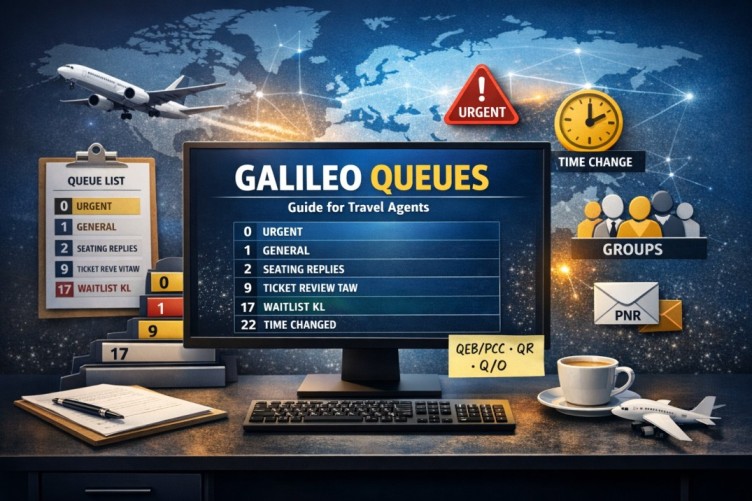
When you work with Galileo GDS, queues are something you cannot ignore. They help organise your bookings (also known as PNRs) and they alert you about any changes. This way, nothing gets missed.
Let’s talk about queues in a simple, practical way — without using complicated ideas. If you are a new agent learning Galileo or an experienced consultant looking for a quick refresher, this guide gives you the essentials in plain English.
What Are Queues in Galileo GDS?
In Galileo GDS, queues are like lists of work that are done automatically. Your booking files or PNRs are placed into these queues based on what needs to be done, what has changed, or what tasks are still pending.
Think of queues like your inbox. If there are updates, they go into a queue. If an airline makes changes, it goes into a queue. If you need to be reminded about ticketing, it goes into a queue.
Instead of checking every single booking by hand, Galileo GDS pushes the important PNRs to you. This makes your job a lot easier and ensures nothing slips through the cracks.
Why Are Queues Important?
Queues are very important because they help you keep track of all the updates to your bookings. They:
- Prevent missed ticketing deadlines — the queue reminds you before the deadline passes
- Keep you updated about airline schedule changes — proactive rebooking prevents customer complaints
- Organise work between team members (PCCs) — you can transfer PNRs to the right department
- Improve efficiency and accuracy — no more manual tracking of every booking
Without queues in Galileo GDS, managing a large number of bookings would be very confusing and time-consuming.
Common Galileo GDS Queue Commands You Must Know
Here are the most useful commands that every agent uses every day.
QCA — Check Active Queues
Q/6 — Open a Queue
QR — Remove from Queue
I — Ignore PNR
QXI — Exit the Queue
Transfer Commands
These commands move a PNR to another PCC or queue.
Cleaning Up a PNR
To clean up a PNR and remove all unnecessary elements, use the following command sequence:
Galileo GDS Queue Numbers Explained
Here are the important queue numbers and what they are used for. Each queue has a specific purpose in your daily workflow.
| Queue | Category | Purpose |
|---|---|---|
| 0 | Priority | Urgent tasks that need to be done right away |
| 1 | General | Regular bookings |
| 1*CPD | Past Date | Bookings that are past their date and need review |
| 2 | Seating | Seating replies |
| 3 | Synchronisation | Synchronisation advice |
| 7 | Follow-ups | Follow-ups about required actions |
| 9 | Ticketing | Reviewing tickets |
| 10 | Ticketing | Reviewing tickets (secondary) |
| 11 | Fares | Fare-related tasks |
| 12 | Booking Review | Reviewing booking files |
| 14 | Ticketing | Tickets rejected automatically |
| 15 | Groups | Group bookings |
| 16 | Vendor | Vendor remarks |
| 17 | Waitlist | Waitlist confirmations |
| 18 | Urgent | Tasks to be done within 14 days |
| 19 | Non-urgent | Tasks that can be done outside of 14 days |
| 20 | Problem | Things that cannot be done |
| 21 | Problem | Things that cannot be confirmed |
| 22 | Schedule Change | Changes to schedules |
| 23 | Notifications | Cancelled parts of bookings |
| 24 | Updates | Updates about hotels and cars |
| 25 | Service | Service information |
A Real-Life Example of How Agents Work
Here is how agents usually work with queues throughout the day:
- They start their day by checking the active queues with the command
QCA. - Then they open the queue with the command
Q/0(starting with the urgent queue). - Next they handle the PNR — fix it, update it, or contact the client.
- After that they remove the PNR from the queue with the command
QR. - Finally, they move it to another team with the command
QEB/PCC.
They do this over and over throughout the day. This routine is what keeps the operation running smoothly — no lost bookings, no missed deadlines, no surprises.
Tips for Working with Galileo GDS Queues
- Always check the urgent queue first. Queue 0 contains the most time-sensitive work.
- Never ignore the schedule changes queue. Queue 22 affects passenger travel plans directly.
- Clean up your PNRs regularly. Use
@ALL,R.M.,ERto remove outdated elements. - Use transfer queues to share your workload. Don’t hoard PNRs — move them to the right PCC.
- Do not leave PNRs stuck in queues. Clear them every day to avoid missed deadlines and customer complaints.
Frequently Asked Questions
What are queues in Galileo GDS?
What is the QCA command in Galileo?
QCA is the Galileo command that displays all queues that contain PNRs. It is typically used at the start of the day to check which queues have pending work and prioritise them.What does QEB do in Galileo?
QEB is the Galileo command used to transfer a PNR to another PCC (office) or to a specific queue. Use QEB/PCC to move the PNR to another PCC, QEB/PCC/3 to move it to a specific queue at that PCC, or QEB/3 to move it to queue 3 at the same office.What is the difference between QR and QXI in Galileo?
QR removes the PNR from the queue and moves to the next one. QXI exits the queue completely. There is also I, which ignores the PNR and keeps it in the queue for later action.What is Queue 0 used for in Galileo GDS?
What is Queue 22 used for in Galileo?
How often should I clean queues in Galileo GDS?
QCA, opening the urgent queues, and clearing each PNR is the best practice.📚 Related Guides
Practise Galileo Queue Management in a Safe Simulator
Create a free GDS HUB account and practise QCA, Q/, QR, QXI and QEB commands in a simulated Galileo environment — no live data, no risk.
Start Practising Free →


