Retention Segments in GDS: How to Keep Your PNR Active (Amadeus, Sabre, Galileo)
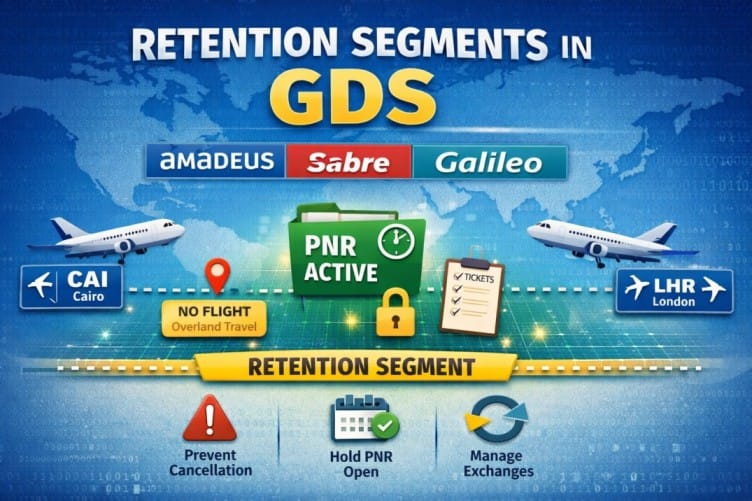
If you work with global distribution systems (GDS) like Amadeus, Sabre, or Travelport Galileo, understanding Retention Segments is essential. They allow travel agents to keep PNRs active without adding new flight segments, which is critical for managing bookings, exchanges, and reporting.
Without a retention segment, a PNR will be automatically purged from the system after the last travel date passes. This makes it impossible to retrieve the booking for servicing, refunds, or historical reference. Retention segments solve this problem cleanly.
What Is a Retention Segment?
A Retention Segment is a non-air segment added to a PNR to “retain” it in the system. It is stored in the PNR’s itinerary and looks similar to a passive segment, but its purpose is purely administrative.
It is used to:
- Keep a PNR active when no new flights are added
- Prevent automatic cancellation of the booking
- Link tickets to an existing file
- Preserve information for accounting or reporting purposes
In short, a retention segment keeps your booking alive in the GDS even if no active flight segments exist.
When to Use Retention Segments
Travel agents commonly use retention segments in cases like:
- After canceling air segments but still needing to keep the PNR
- Issuing tickets without creating new flight segments
- During exchanges or refunds
- Preserving client information for future travel
Retention segments do not affect pricing, since they are not actual flights, but they are crucial for keeping the PNR in an active state.
Amadeus — Retention Segment Command
Explanation
| Part | Meaning |
|---|---|
| RU | Retention transaction code — used to extend or maintain PNR activity |
| 1A | Office ID or agent office code (Amadeus vendor code) |
| HK1 | Confirmed segment for 1 passenger |
| SHJ | Departure city (origin of the trip) |
| 08APR | Date until which the PNR will remain active |
| /FREE TEXT | Any note added for reference |
RU1AHK1PAR31AUG*COVID19/P1 — This creates a retention segment with city PAR, valid until 31AUG, with free text “COVID19” and for 1 passenger.
Sabre — Retention Segment Command
Explanation
| Part | Meaning |
|---|---|
| 0 | Retention segment entry (sell segment command) |
| OTH | “Others” segment type — non-air segment |
| YY | Generic airline code (not specific to any airline) |
| GK1 | Ghost segment for 1 passenger |
| SHJ | Departure city |
| 26SEP | Date until which the PNR will remain active |
| -FREE TEXT | Optional note for reference |
*H) to see when the retention segment was inserted.
Galileo — Retention Segment Command
Explanation
| Part | Meaning |
|---|---|
| RT.T | Retention segment command in Galileo |
| /16may | Reference date until which the PNR will remain active |
| *free text | Optional note for reference |
RT.T/31DEC*RETENTION DUE TO COVID-19
After adding the retention segment, the PNR remains active and can be updated or ticketed later.
Why Retention Segments Are Important
- Prevents PNR cancellation: Systems automatically purge inactive PNRs. Retention segments stop that.
- Keeps client history: Important for agencies to track travel patterns and maintain customer relationships.
- Facilitates exchanges/refunds: Allows tickets to remain linked to the original booking for accurate processing.
- System compliance: Some GDSs require a segment to maintain fare rules or ticketing rules.
Best Practices
- Always add meaningful free text to identify the reason for retention.
- Use the correct command for each GDS to avoid errors.
- Keep retention segments updated when the PNR changes.
- Remove segments once they are no longer needed to keep your PNR clean.
- Check the retention date — don’t set it too far in the future if the client will make a decision soon.
Quick Reference Table
Bookmark this table for quick access during your daily work.
| GDS | Command | Example |
|---|---|---|
| Amadeus | RU1AHK1SHJ08APR/FREE TEXT | RU1AHK1PAR31AUG*COVID19/P1 |
| Sabre | 0OTHYYGK1SHJ26SEP-FREE TEXT | 0OTHYYGK1MEX21FEB-COVID |
| Galileo | RT.T/16may*free text | RT.T/31DEC*RETENTION DUE TO COVID-19 |
Frequently Asked Questions
What is a retention segment in GDS?
How do I add a retention segment in Amadeus?
RU1AHK1SHJ08APR/FREE TEXT. RU is the retention transaction code, 1A is the office ID, HK1 is a confirmed segment for 1 passenger, SHJ is the departure city, 08APR is the date until which the PNR remains active, and /FREE TEXT is an optional note for reference.How do I add a retention segment in Sabre?
0OTHYYGK1SHJ26SEP-FREE TEXT. The 0 is the retention segment entry, OTH is the others segment type, YY is a generic airline code, GK1 is a ghost segment for 1 passenger, SHJ is the departure city, and 26SEP is the date until which the PNR remains active.How do I add a retention segment in Galileo?
RT.T/16may*free text. RT.T is the retention segment command, /16may is the reference date until which the PNR remains active, and *free text is an optional note. The PNR will not purge until the specified date.Why are retention segments important?
Do retention segments affect pricing?
When should I use a retention segment?
How long can a retention segment keep a PNR active?
📚 Related Guides
Practise Retention Segment Commands in a Safe Simulator
Create a free GDS HUB account and practise RU, 0OTH and RT.T commands in a simulated Amadeus, Sabre or Galileo environment — no live data, no risk.
Start Practising Free →


